Consider what can happen when someone uploads a profile photo to a web application.
Depending on the use case, the application may resize the image into different sizes. It might run the image through a content check process. It can also push the resized images to a content delivery network for faster access. Lastly, it will also update the user record with the latest metadata. Now, imagine if all of these operations take place during the same picture upload request path. As all of these functionalities are carried out, the user sees a spinning button for several seconds, wondering whether the photo has been uploaded successfully. Needless to say, it would be a pretty poor user experience.
If we move all of that extra work outside the request path, the upload can more or less respond immediately as soon as the image file is stored in an object storage. The image still gets resized, scanned, and distributed, just not in the same flow. This is known as background work, and here are some examples of why it is needed:
A user action may have triggered it. For example, someone signs up, and a welcome email goes out.
The clock may have triggered it. For example, nightly reports, monthly invoices, hourly cache refreshes.
Another system could have triggered it. For example, a webhook arrives, or a file is stored in object storage.
Perhaps the sheer volume of work made it worthwhile. For example, some work is naturally cheaper or safer done a thousand items at a time.
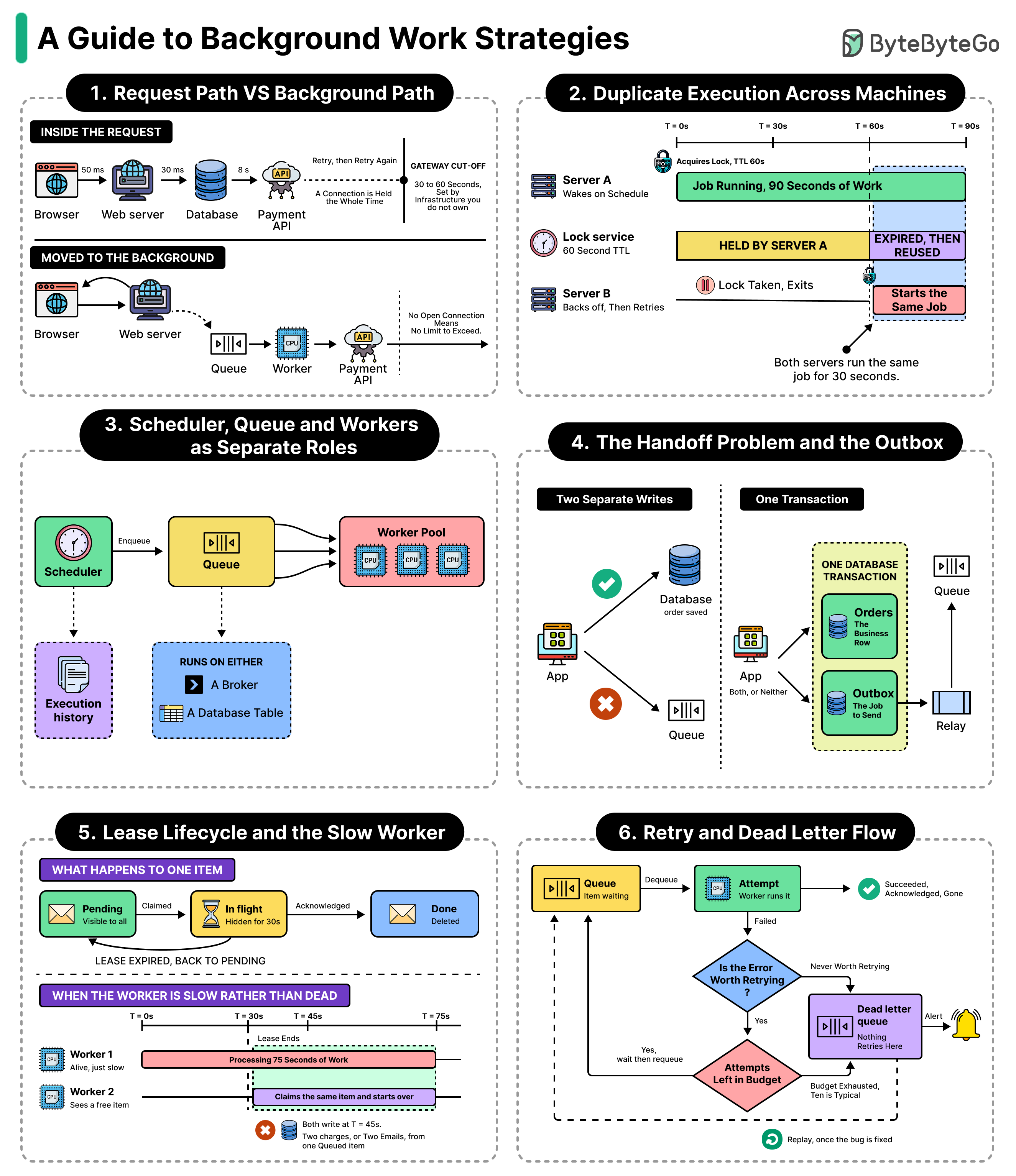
Most of the time, teams start with a single scheduled script on a single machine. It can handle a great amount of background work. However, as the system gets bigger and more complex, the amount of background work requires different strategies. In this article, we will look at various such strategies to perform background work in detail.