

Real-Time AI at Scale Masterclass: Virtual Masterclass (Sponsored)
Learn strategies for low-latency feature stores and vector search

This masterclass demonstrates how to keep latency predictably low across common real-time AI use cases. We’ll dig into the challenges behind serving fresh features, handling rapidly evolving embeddings, and maintaining consistent tail latencies at scale. The discussion spans how to build pipelines that support real-time inference, how to model and store high-dimensional vectors efficiently, and how to optimize for throughput and latency under load.
You will learn how to:
Build end-to-end pipelines that keep both features and embeddings fresh for real-time inference
Design feature stores that deliver consistent low-latency access at extreme scale
Run vector search workloads with predictable performance—even with large datasets and continuous updates
This week’s system design refresher:
Best Resources to Learn AI in 2026
The Pragmatic Summit
Why Prompt Engineering Makes a Big Difference in LLMs?
Modern Storage Systems
🚀 Become an AI Engineer Cohort 3 Starts Today!
Best Resources to Learn AI in 2026
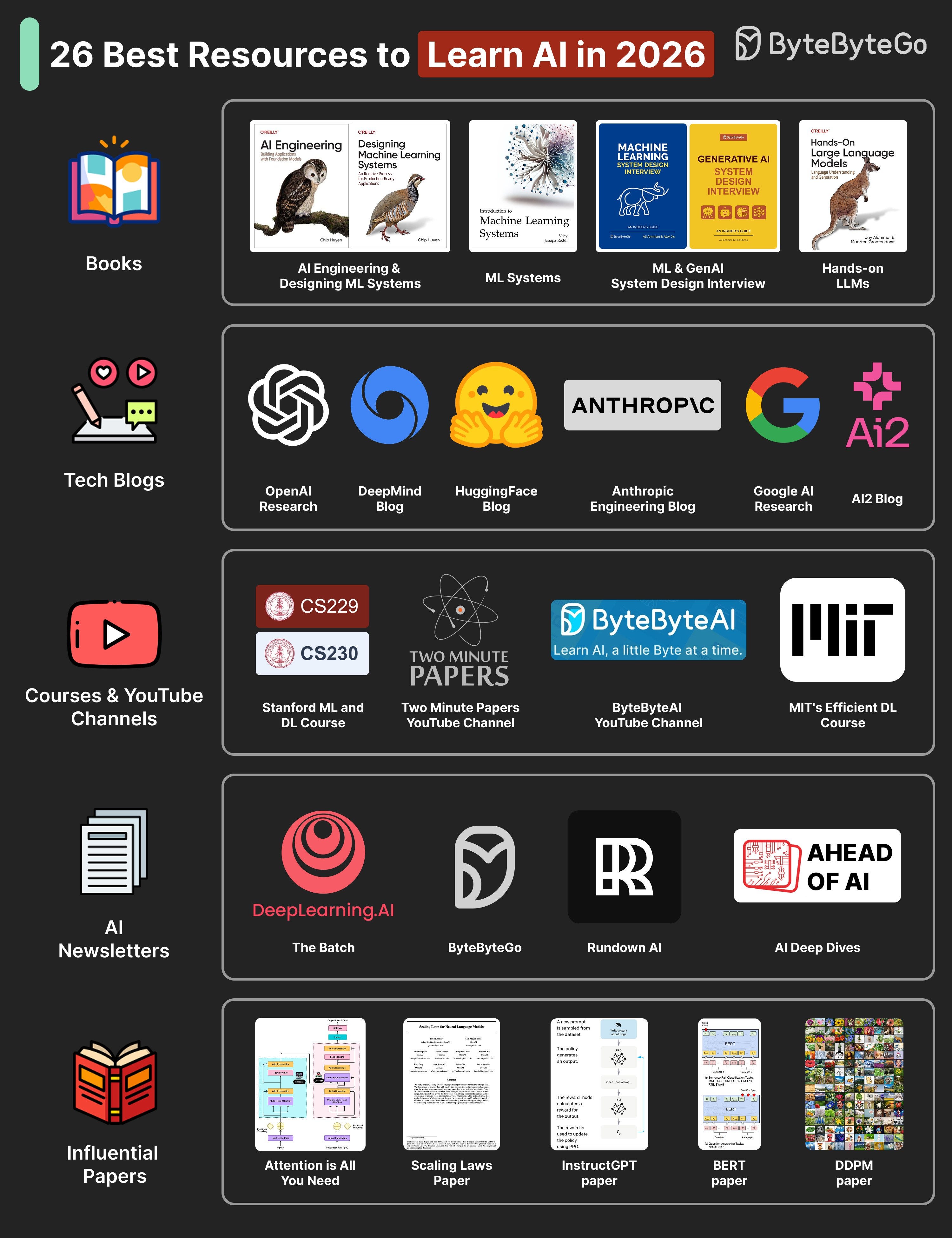
The AI resources can be divided into different types such as:
Foundational and Modern AI Books
Books like AI Engineering, Machine Learning System Design Interview, Generative AI System Design Interview, and Designing Machine Learning Systems cover both principles and practical system patterns.Research and Engineering Blogs
Follow OpenAI Research, Anthropic Engineering, DeepMind Blog, and AI2 to stay current with new architectures and applied research.Courses and YouTube Channels
Courses like Stanford CS229 and CS230 build solid ML foundations. YouTube channels such as Two Minute Papers and ByteByteAI offer concise, visual learning on cutting-edge topics.AI Newsletters
Subscribe to The Batch (Deeplearning. ai), ByteByteGo, Rundown AI, and Ahead of AI to learn about major AI updates, model releases, and research highlights.Influential Research Papers
Key papers include Attention Is All You Need, Scaling Laws for Neural Language Models, InstructGPT, BERT, and DDPM. Each represents a major shift in how modern AI systems are built and trained.
Over to you: Which other AI resources will you add to the list?
The Pragmatic Summit
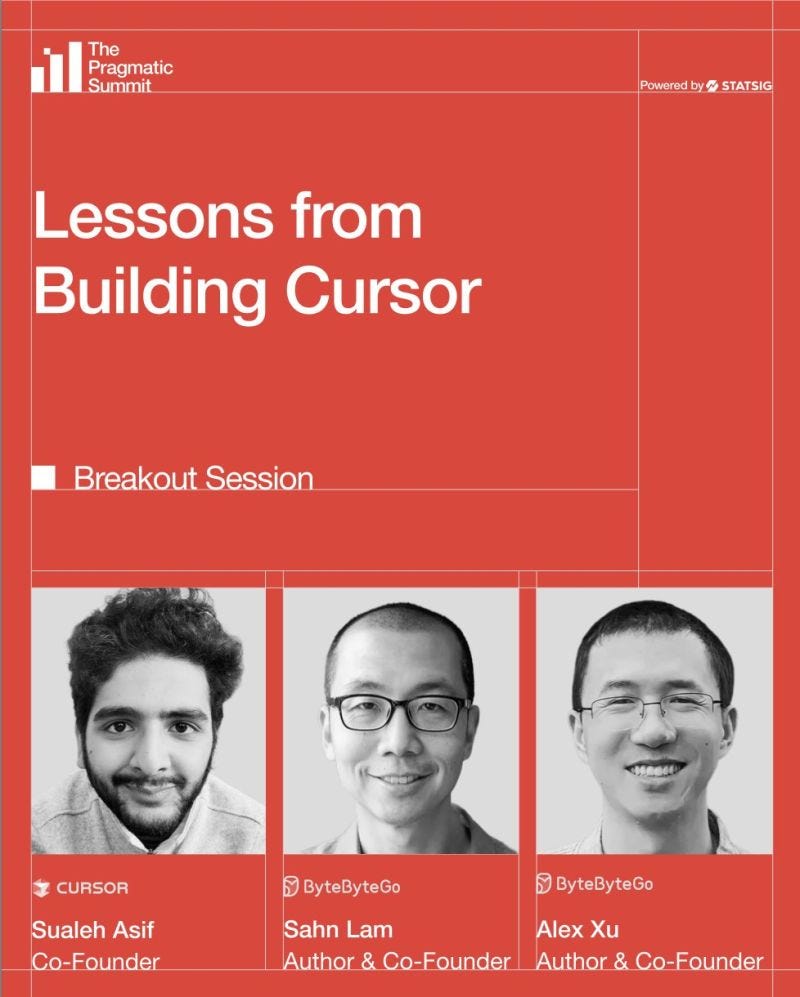
I’ll be talking with Sualeh Asif, the cofounder of Cursor, about lessons from building Cursor at the Pragmatic Summit.
If you’re attending, I’d love to connect while we’re there.
📅 February 11
📍 San Francisco, CA
Why Prompt Engineering Makes a Big Difference in LLMs?
LLMs are powerful, but their answers depend on how the question is asked. Prompt engineering adds clear instructions that set goals, rules, and style. This turns vague questions and tasks into clear, well-defined prompts.
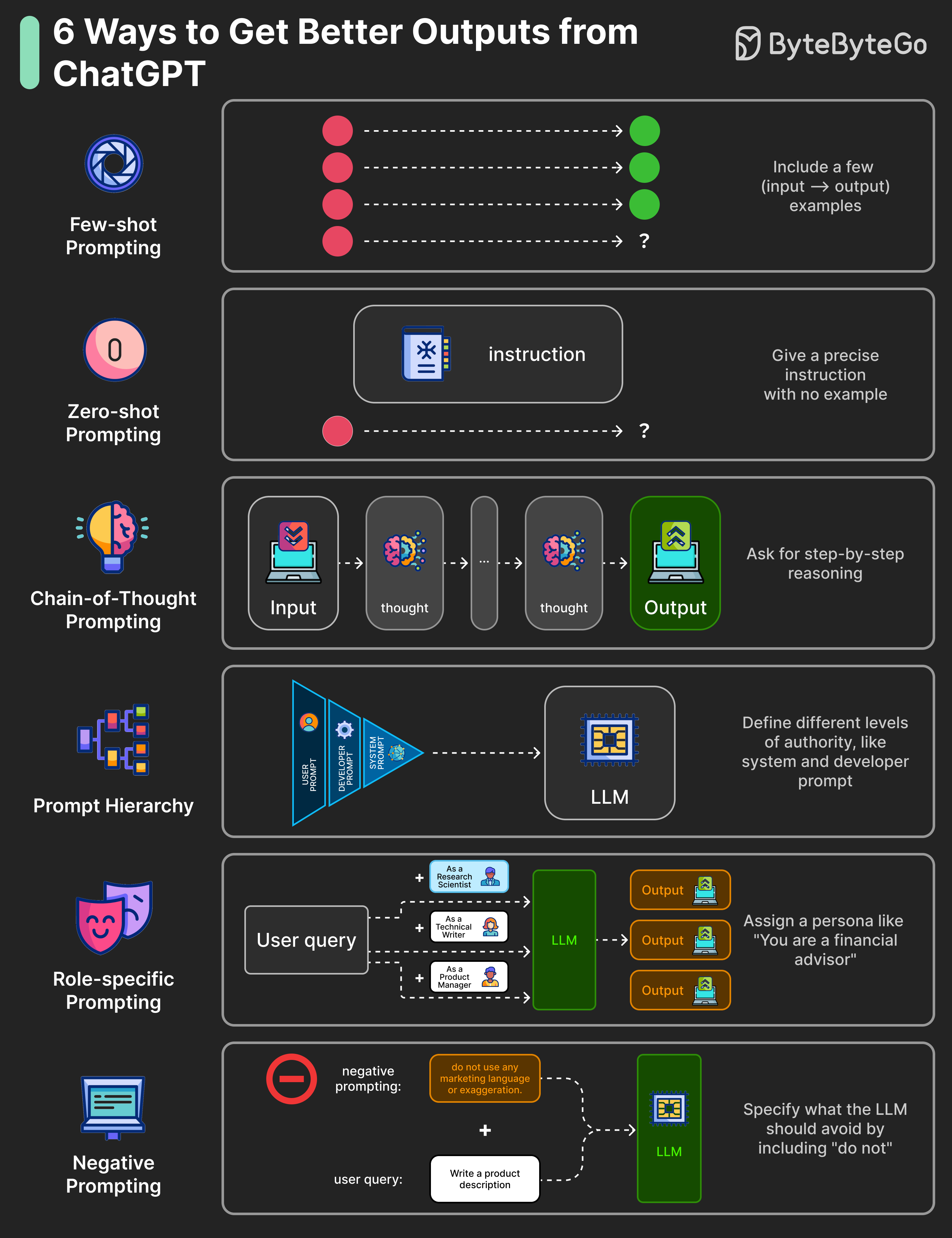
What are the key prompt engineering techniques?
Few-shot Prompting: Include a few (input → output) example pairs in the prompt to teach the pattern.
Zero-shot Prompting: Give a precise instruction without examples to state the task clearly.
Chain-of-thought (CoT) Prompting: Ask for step-by-step reasoning before the final answer. This can be zero-shot, where we explicitly include “Think step by step” in the instruction, or few-shot, where we show some examples with step-by-step reasoning.
Role-specific Prompting: Assign a persona, like “You are a financial advisor,” to set context for the LLM.
Prompt Hierarchy: Define system, developer, and user instructions with different levels of authority. System prompts define high-level goals and set guardrails, while developer prompts define formatting rules and customize the LLM’s behavior.
Here are the key principles to keep in mind when engineering your prompts:
Begin simple, then refine.
Break a big task into smaller, more manageable subtasks.
Be specific about desired format, tone, and success criteria.
Provide just enough context to remove ambiguity.
Over to you: Which prompt engineering technique gave you the biggest jump in quality?
Modern Storage Systems
Every system you build, whether it's a mobile app, a database engine, or an AI pipeline, eventually hits the same bottleneck: storage. And the storage world today is far more diverse than “HDD vs SSD.
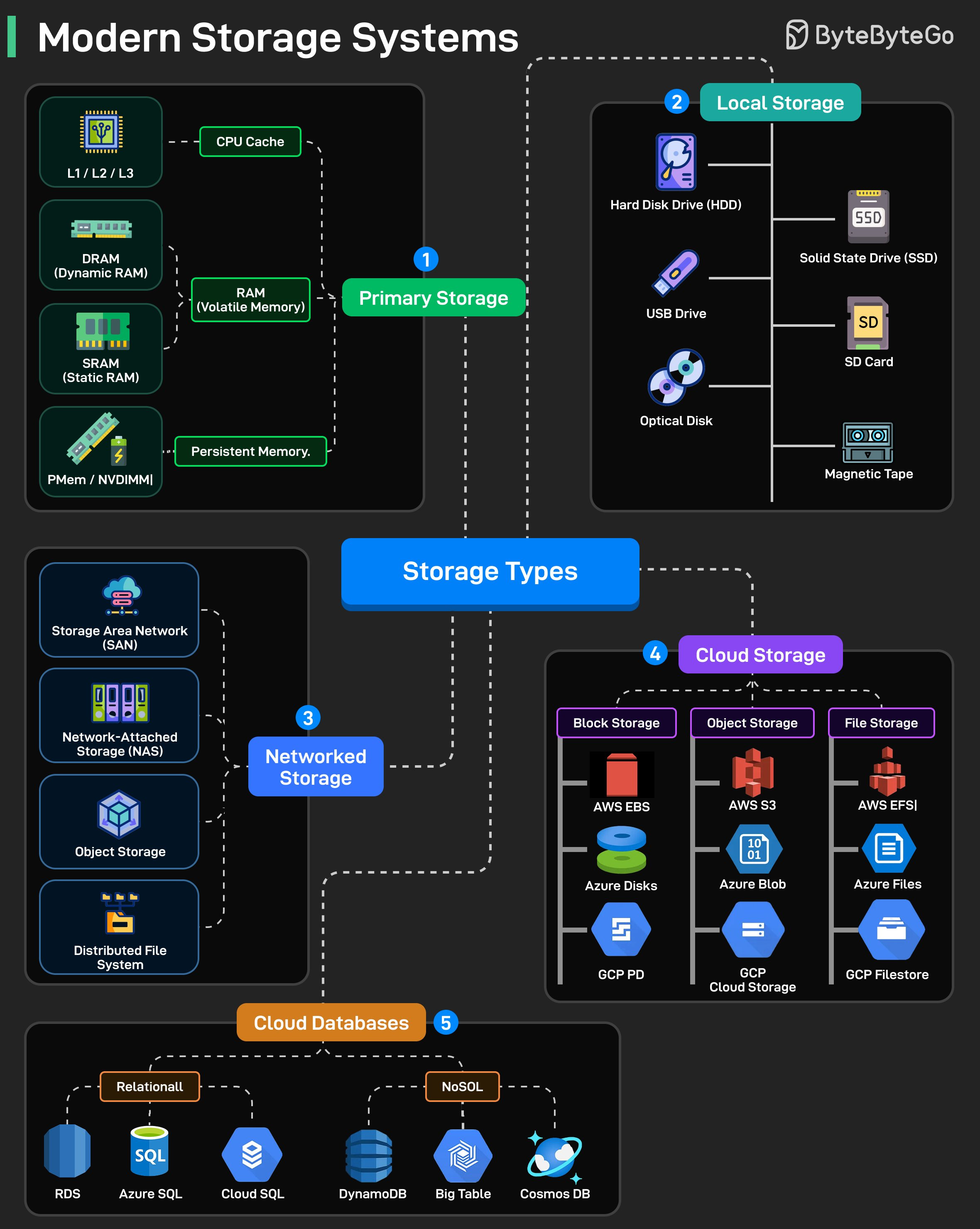
Here’s a breakdown of how today’s storage stack actually looks
Primary Storage (where speed matters most): This is memory that sits closest to the CPU.
L1/L2/L3 caches, SRAM, DRAM, and newer options like PMem/NVDIMM.
Blazing fast but volatile. The moment power drops, everything is gone.
Local Storage (your machine’s own hardware): HDDs, SSDs, USB drives, SD cards, optical media, even magnetic tape (still used for archival backups).
Networked Storage (shared over the network):
SAN for block-level access.
NAS for file-level access.
Object storage and distributed file systems for large-scale clusters.
This is what enterprises use for shared storage, centralized backups, and high availability setups.
Cloud Storage (scalable + managed):
Block storage like EBS, Azure Disks, GCP PD for virtual machines.
Object storage like S3, Azure Blob, and GCP Cloud Storage for massive unstructured data.
File storage like EFS, Azure Files, and GCP Filestore for distributed applications.
Cloud Databases (storage + compute + scalability baked in):
Relational engines like RDS, Azure SQL, Cloud SQL.
NoSQL systems like DynamoDB, Bigtable, Cosmos DB.
Over to you: If you had to choose one storage technology for a brand-new system, where would you start, block, file, object, or a database service?
🚀 Become an AI Engineer Cohort 3 Starts Today!
Our third cohort of Becoming an AI Engineer starts today. This is a live, cohort-based course created in collaboration with best-selling author Ali Aminian and published by ByteByteGo.

I can highly recommend my substack Tech Talks Weekly where I cover a lot of AI engineering conference talks and podcasts published every week.